Bucket lists are great tools for helping us organize our goals, dreams, and plans. This is where we can write down things that we hope to accomplish throughout our lives or see them using a photo album. However, you need to find the right app for managing and keeping track of your bucket list efficiently. For this reason, Google Keep is here as one of your bucket list managers; not the first choice that comes into mind, but it offers numerous features that make it suitable for the job. Here’s why Google Keep should be your bucket list app this summer.
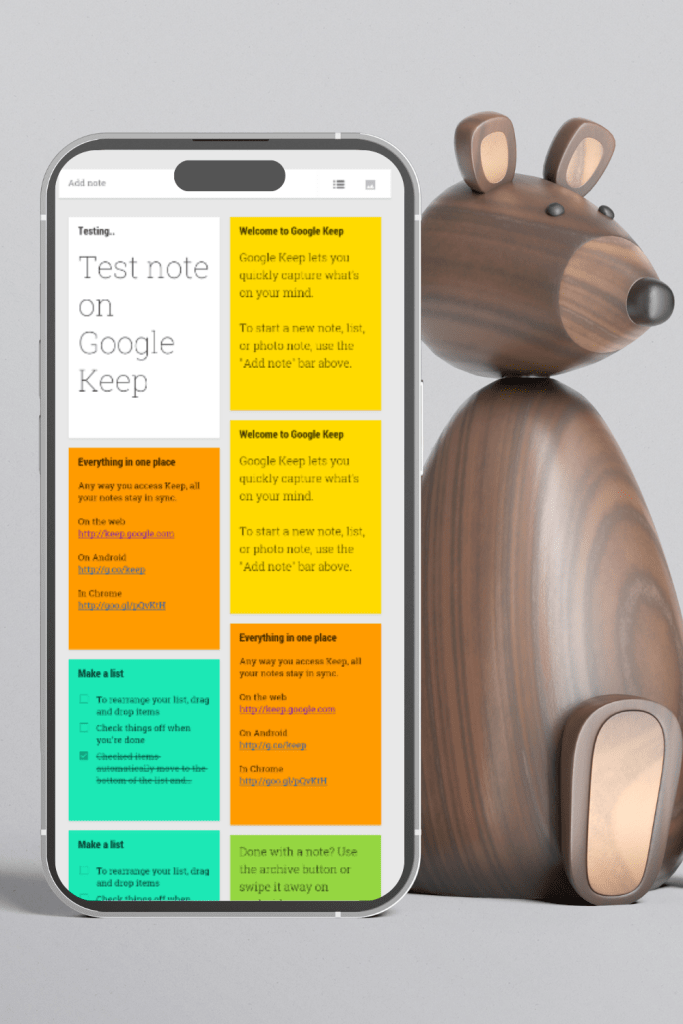
Image Credit: Dstudio & amazon.co.uk
Simplicity and Ease of Use
What sets Google Keep apart from other apps is its simple yet user-friendly interface. All notes are easily added similarly to penning down a note on paper. You could have named this new note “bucket list” and started listing all your dreams right there and then. Its simplicity means that you will not get lost in complex functions or steep learning curves.
Visual Appeal with Color-Coding and Labels
One good thing about Google Keep is its ability to provide color-coded notes together with labels. For instance, it would be possible for you to use different colours to divide the various forms of things that you have already written on your bucket lists such as traveling elements, career issues, and personal development. In addition to this, when scrolling over labels they help focus only on specific categories.
Accessibility and Synchronization
Google Keep can be accessed through several platforms like smartphones, tablets, or computers. This compatibility ensures that your bucket list never leaves your sight regardless of wherever you go on Earth, because what matters most is how connected are devices across all continents so far away from each other physically. Moreover, since it works on the cloud, every note made using any device will easily appear in others without having individuals looking for them everywhere hence enabling 24/7 access from any part of the globe.
Collaboration Features
Dreams are shared. Google Keep’s collaboration features enable you to share your bucket list with your family and friends as well. By doing so, you can plan trips together, support each other in achieving different things, and hold one another accountable. Add people who should check on it to your note and they will work on it by making changes that are meant to improve all its parts since it is only a draft.
Reminders and Notifications
Action plans make the bucket list real for often such lists become mere wishes unless some steps towards accomplishing them have been taken. To ensure that you don’t forget what you wrote down but start working on that idea right away, there are reminder alarms in the Google Keep app as well as notifications. You can set time-based reminders to prompt you to act on a specific goal or location-based reminders to alert you when you’re in a place where you can work on an item on your list.
Integration with Other Google Services
Google Keep connects smoothly with other services like Google Calendar or even Google Drive so that many attachments can be directly added by users rather than going through menu commands which only waste time. Such attachments range from files, photos, documents, etc., every kind of bundle is welcomed since everything necessary is at hand. However, if this feature fails at times then users might consider printing them out before attaching their document files into which those sheets were saved first being prepared for presentation purposes later after finishing up writing about these projects/works during class times.
Searchability and Archiving
It may sometimes be difficult to find certain items especially when the number of records increases rapidly over time. In this case, one would just search for the title, label, or keyword using Google Keep’s search bar. Additionally, instead of erasing an item achieved, it could easily be shifted into the archived notes area without making the live list look untidy.
Voice and Image Notes
In some cases, you could find yourself inspired when you are on the move and unable to type. Google Keep allows for voice note creation that can be transcribed into text automatically. You also have the option of attaching pictures to your notes which is a great way of capturing visual inspiration for your goals.
Offline Access
Google Keep lets you access your notes offline even when you are not connected to the internet. This feature enables you to continue reviewing and editing your bucket list items even from a plane or any other place with poor internet connectivity.
Security and Privacy
Google Keep offers a safe and secure space, where these dreams can be kept. Google has strong protective measures in place to guarantee privacy of your data and users may also opt for double authentication for enhanced security.
When it comes to managing a bucket list, the first app that comes into mind is Google Keep, but its techno-richness and simplicity make it outstanding. It can organize, work together, remind, or integrate with other tools so that your dreams will always remain at the forefront, enabling you to take concrete steps toward achieving them. If you haven’t tried Google Keep yet for your bucket list; maybe it’s time it became the new app to download for the summer.
 MACIJI